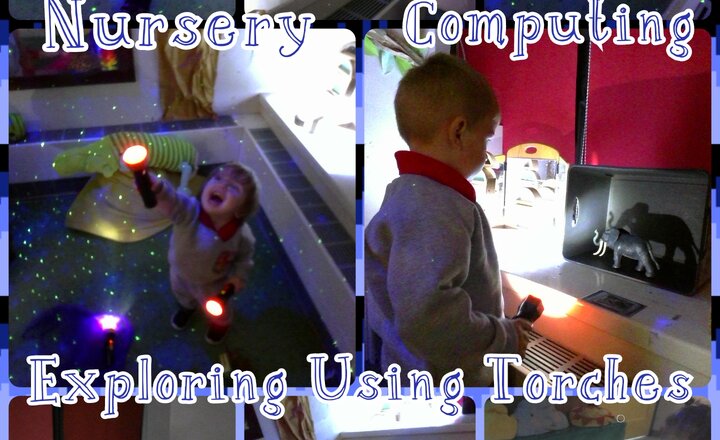
Nursery - Computing - Exploring Using Torches
In our computing lesson, the children had a wonderful time exploring with torches. They learned how to turn the torches on and off, which helped them understand the basic concept of control and cause and effect. The children's interests led them in many different directions. Some were fascinated by shining the lights on the roof, walls, and floor, while others enjoyed creating beautiful light displays by placing coloured scarves over the beams. A few children also showed great curiosity by using their torches to make shadows with toys from around the classroom inside a box. They explored how their movements changed the shape and size of the shadows. This hands-on lesson encouraged the children to be creative and independent while developing their understanding of light, darkness, and simple technology.
.png)
Year 3 - What An Amazing Year!
What an incredible year it's been for Year 3! We've explored so many exciting new topics, from forces and plants in science to building castles in DT. In computing, we learned to send emails, and in French, we mastered greetings. One of our favorite lessons was hot-seating as characters from "The Magic Faraway Tree". We even staged two fantastic productions: "The Christmas Story" and, at Easter, "Roll Back The Stone." It's safe to say we've learned a tremendous amount and had a truly brilliant year!
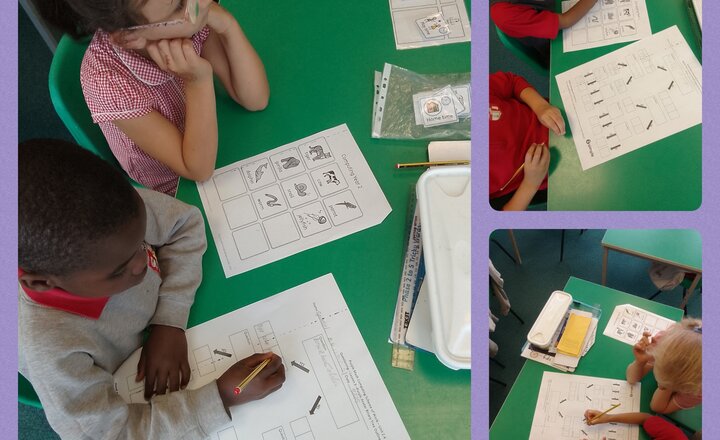
Year 2 Computing - Binary Trees
Our Computing lesson introduced children to Binary Trees, an important way computers make decisions and sort data. They were actively engaged in questioning and building their understanding of these logical structures
.png)
Year 3 - Times Table Rockstars
Year 3 has been diligently using Times Table Rockstars to boost their times table fluency and recall (or hone their multiplication skills, or master their times tables).
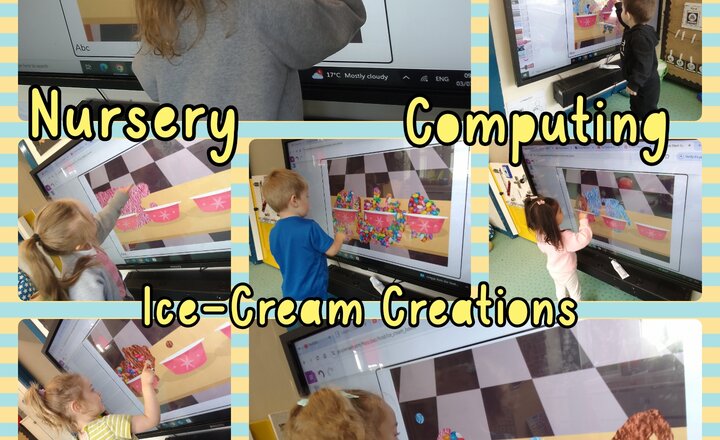
Nursery - Computing - Ice-Cream Creations
The children approached the interactive whiteboard with high levels of curiosity and engagement, particularly with the vibrant colours and responsiveness of the Purple Mash drawing function. For the newer class members, the activity provided a foundational experience in early digital literacy. These children primarily focused on the cause and effect relationship between their physical movements and the marks appearing on the screen. They explored moving their hands across the board, watching lines and scribbles appear, demonstrating an initial understanding that their actions directly influenced the digital output. Their movements were broad and experimental, indicating the very first stages of control over a digital tool. The older and more experienced children in the class exhibited more refined digital literacy skills and intentionality. These students actively attempted to control their movements to achieve specific shapes, notably working on creating circular motions to form ice cream scoops. Their engagement also extended to thinking about their design, verbally contemplating and selecting virtual "toppings" for their ice creams e.g., "I want sprinkles!", "Strawberry on top!". This demonstrated developing digital dexterity, early planning skills, and the ability to integrate imaginative ideas with the available digital tools. Overall, the activity successfully catered to a range of developmental stages, allowing all children to explore digital mark-making at their own level while fostering early computing and creative expression.
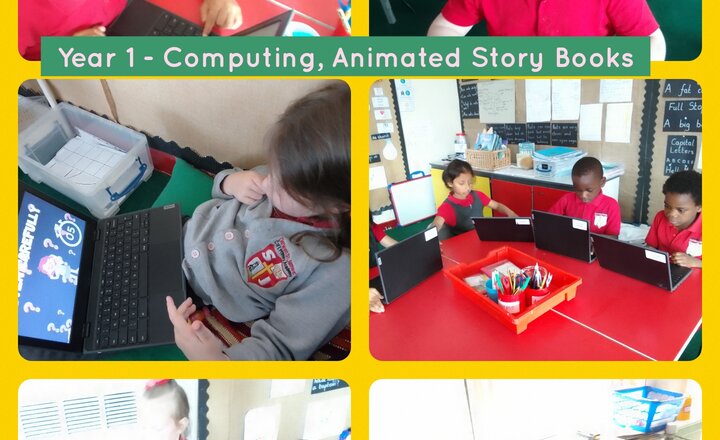
Year 1 - Computing - Animated Story Books
In Year 1, we've been on an amazing adventure, bringing our favourite stories to life! We learned all about animated storybooks and added super cool sounds to them. Get ready to hear our characters giggle, monsters roar, and the wind whisper through the trees! It's been so much fun making our stories sing!
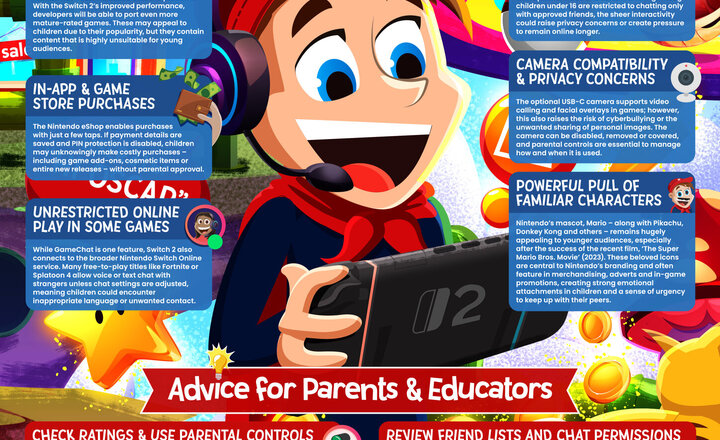
Online Safety - Nintendo Switch 2
Nintendo’s long-awaited Switch 2 has finally arrived, blending fresh hardware with fan-favourite franchises. From Mario to Pikachu, the familiar mascots are back – but so too are evolving online features, in-game purchases, and potential exposure to mature content. As ever, it’s essential that parents and educators understand the risks to young players. Among these are GameChat voice communication, camera-based gaming, and potential access to mature-rated titles. This guide outlines what to watch out for and how to keep children safe, engaged and having fun.
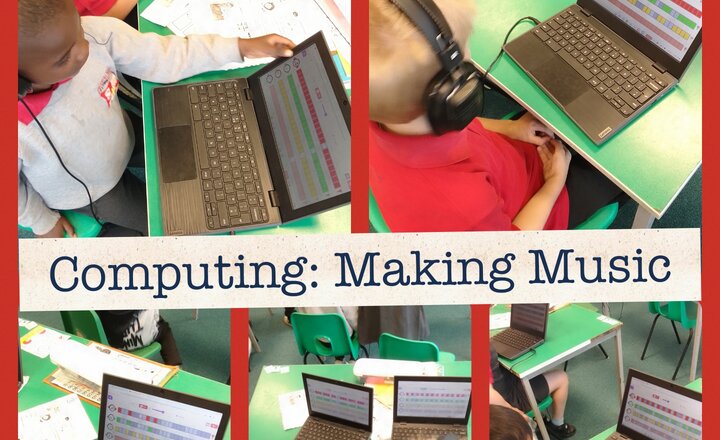
Year 2 - Computing - Making Music
Today, the children had an engaging computing lesson focused on "Making Music." They used headphones and eagerly explored music creation on their laptops. Each student was immersed in the activity, observing the colorful interfaces that guided them in composing their own tunes. It was evident they enjoyed experimenting with various sounds and arranging them to create unique musical pieces.
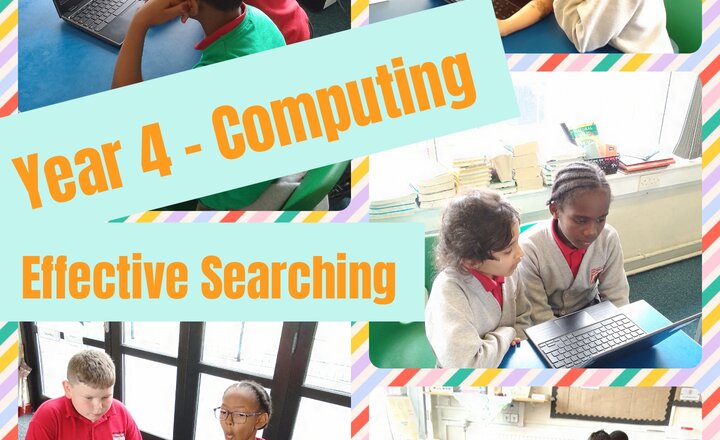
Year 4 Computing - Effective Searching
Year 4 have been putting their information finding skills to the test, learning how to effectively search for facts using efficient questioning in Internet search engines. We have had to determine whether the information we find can be trusted, useful skills that can be helpful in many different situations!
.jpg)
Online Safety - Youtube Kids
YouTube Kids promises a safe, child-centric experience with colourful visuals, age-filtered content, and robust parental controls. Designed to appeal to younger viewers, the app has grown rapidly, being used by tens of millions of children worldwide. But is it as safe as it seems? Despite YouTube Kids’ safeguards, reports have highlighted worrying issues, such as inappropriate content slipping through filters, subtle advertising, and the use of manipulative design to keep children engaged. Our guide explores how to navigate these pitfalls, offering practical advice for making sure children get the most from the platform – without the risks.
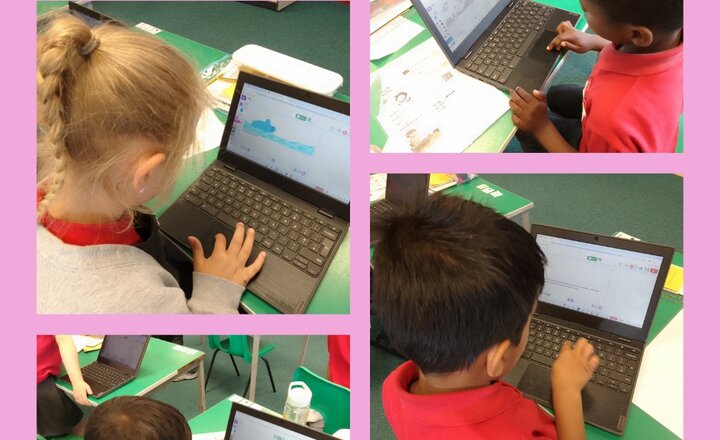
Year 2 Computing - Presenting Ideas
In our Year 2 computing lesson, we learned valuable skills in digital literacy and creative expression. We utilised laptops to develop and present our ideas, focusing on the process of creating a story.
.jpeg)
Online Safety - Violent Content Online
Around 70% of teenagers say they’ve seen real-life violence on social media in the past year. Violent content online isn’t just something young people are occasionally stumbling across – in many cases, it’s becoming a routine part of their digital world. From fights and stabbings to toxic ideologies , disturbing videos are often just a click away on social media or group chats. This week’s #WakeUpWednesday guide highlights the unseen risks this poses to children’s mental health , sense of safety, and social behaviours. With insights from a leading expert , it offers practical ways for parents and educators to respond with empathy and support – not punishment or panic.
.png)